


Frameo: Share to photo frames
4.86.63K Reviews
App Specs
- Version
- Varies with Device
- Updated On
- License
- Free
- Downloads
- 5,000,000+
- Developer
- Frameo
- Categories
- Photography
- Platform
- Android, iOS
Screenshots
 Analysis by AppCompare
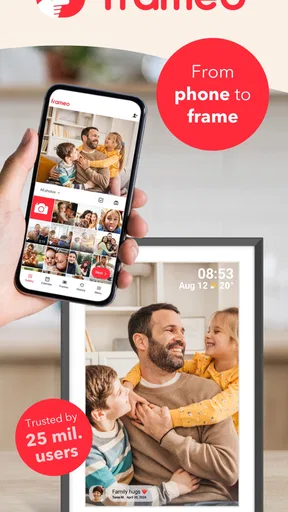
If you are trying Frameo for the first time, the most helpful thing to know is that the app is part of a setup with a compatible Wi-Fi photo frame. It is not a general gallery or a social feed: its purpose is to send pictures from your phone to a frame someone can see in a home. That makes it appealing when you want a photo to arrive somewhere visible without asking relatives to check another app.
I find this approach especially useful for families who live apart, grandparents who prefer a physical display to a phone screen, and anyone who wants a shared place for everyday snapshots. It is less compelling if you only want to back up photos, edit them, or post them to a broad audience. In those cases, a cloud album or your usual social app is likely a better fit.
What to expect from the app
Frameo is a free photography app from Frameo, with optional in-app purchases. It is rated for Everyone, and its average rating is 4.8 from around 105,000 ratings; it has more than five million installs. Those figures suggest that the frame-sharing idea has found a sizable audience, but they do not tell you whether the setup suits your particular frame or household.
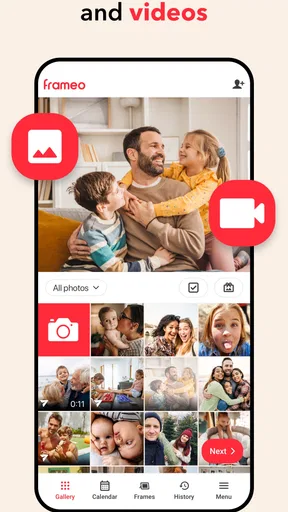
The central experience is deliberately narrower than a full photo library: choose images on your smartphone and send them to a linked frame. That focused design is a strength when your goal is simple, regular sharing. It also means the app should not be mistaken for a photo editor, a backup service, or a replacement for keeping your originals organized elsewhere.
Make the first setup less confusing
Before you start, have the compatible digital frame ready and follow its on-screen pairing process. The original experience uses a code to connect the phone app with the frame. I would do this while standing near the frame rather than trying to set everything up over a call; being able to see what appears on each screen makes it easier to spot a mistyped or expired code and retry calmly.
Once paired, send one ordinary photo as a test before inviting everyone. This small step confirms that the phone and frame are connected and gives you a chance to see how the image looks in that room. If the frame is intended for a relative, getting this first test done before handing it over can prevent the common “I sent it, but where did it go?” moment.
Get a first meaningful photo onto the frame
For a useful first send, pick a clear picture with a recognizable subject and add a short message. A greeting or a sentence explaining the moment helps the recipient understand why that image arrived, rather than making it feel like a random upload. After it appears, ask the person at the frame whether the crop and display are comfortable to view from where they usually sit.
Worth Reading Before You Choose

Switching to Android Auto Means Rethinking Your Driving Routine

Google Calendar Makes a Crowded Week Easier to Manage

Baby Panda World Brings Quick Play to Modern Phones, but Its Game Library Feels Busy

ESPN’s Live Game View Makes Following Close Games Easier

QuizzLand Review: A Good Fit for Short Trivia Breaks, Not Every Player

Basketball Stars: Multiplayer Is Fast, but Can It Recover When Matches Go Wrong?
That first check can also help you decide what to share next. A close family portrait may work better from across a room than a busy group shot, while a landscape may feel more at home in a shared living space. I would treat the frame as a small, changing display rather than trying to send every photo in my phone at once.
The Experience
Getting started with Frameo is a breeze. Once you have the app downloaded, you sync it with a compatible digital frame using a simple code. No rocket science here, folks! The interface is super intuitive, and I was able to get my photos up and running in no time. I loved how easy it was to invite family members to share their own pictures, making it a collaborative experience.
Features that Shine
This app doesn’t just stop at photo sharing. One of the coolest features is the ability to send text along with your photos. It’s like sending a little postcard with each image. Plus, you can adjust how long each photo displays on the frame, keeping the slideshow fresh and fun.
Frameo also lets you create albums and manage the order of photos, which is perfect for those of us who like a bit of organization in our lives. The photo quality is impressive, ensuring your images look vibrant and clear on the frame.
Practical trade-offs for a shared family display
When several people can contribute, the display can feel lively without one person acting as the family archivist. But shared access works best with a little coordination. I would agree on a simple habit—send a few meaningful pictures at a time, and include context when it helps—so the frame stays enjoyable rather than becoming a stream of indistinguishable images.
A useful, less obvious workflow is to treat the text as part of the photograph’s context. If you send a picture from a school event, a visit, or an ordinary afternoon, a short note can make it understandable to someone who was not there. That is particularly valuable for relatives who may recognize the people but not know where or when the picture was taken.
Albums and ordering can help when you want a particular sequence to feel intentional, such as a set of pictures from a family visit. I would use that organization selectively, though: a casual rotating display does not need constant curation, and spending too much time arranging it can defeat the point of easy sharing. The adjustable display duration is another household preference rather than a universal setting; a busy room may benefit from a quicker rotation, while a frame used for quiet browsing can leave each image up longer.
Common points of confusion
A phone showing that an image was sent is not quite the same as checking how it looks in the room. The frame’s placement, viewing distance, and the picture’s composition all affect whether it feels legible and well chosen. If a face is hard to see, try a different image with a closer crop instead of repeatedly sending the same one. This is a practical way to distinguish a connection problem from a photo that simply does not suit the display.
It is also worth setting expectations about what the app replaces. It gives selected people a direct way to contribute to a particular frame, but that is different from maintaining a complete, searchable archive of every original photo. I would keep important pictures in the phone’s normal storage or another backup arrangement and use Frameo for the images I actually want displayed.
Privacy is a meaningful reason to prefer a frame over a public social post, because the sharing is directed to a chosen frame and its contributors rather than an open feed. Still, I would be thoughtful about who is invited and what is sent, especially when a picture includes other people or details of a private occasion. A private destination is useful, but good judgment about sharing remains part of the process.
Who will enjoy it—and who may prefer another option
This setup makes the most sense when the recipient enjoys seeing photos in the home but does not want to browse a phone or social network. It can also suit a family that wants several relatives to contribute without creating a group chat for every snapshot. A realistic routine might be sending a picture after a weekend visit, then adding a short message about the moment; the recipient can encounter it naturally when passing the frame.
On the other hand, I would skip it if you do not own or plan to use a compatible frame, since the app’s value depends on that destination. If your main need is editing, cloud backup, or sharing with a large audience, a dedicated editor, storage service, or social platform will be more suitable. Frameo is at its best as a simple bridge between a phone and a household display, not as an all-purpose photography toolkit.
Why It Stands Out
What really makes Frameo stand out is its ability to connect people. I mean, who doesn’t love a good family gathering, even if it’s virtual? You can have multiple users sending images to the same frame, which can be a fun way to stay connected with family members who live far away. My folks, who aren’t exactly tech-savvy, found it easy to use, which is a huge plus in my book.
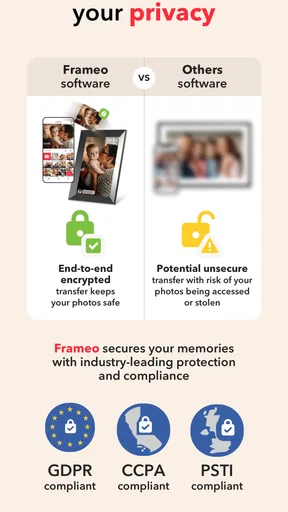
Another highlight is the privacy aspect. Unlike social media, where your photos might end up who-knows-where, Frameo keeps things personal and secure. You’re sharing directly with the people you choose, and that peace of mind is priceless.
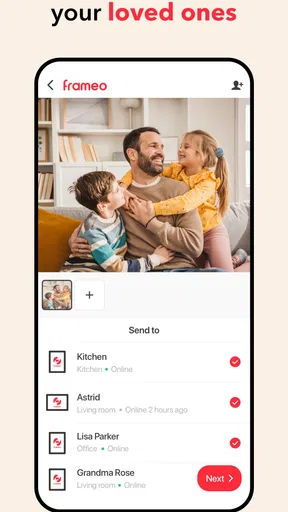
For someone helping a relative get started, I would make the first contribution part of the handover rather than leaving all the steps for later. Pair the app and frame together, send a test picture, and let the recipient see what a new image looks like. Then invite other contributors one at a time so the frame owner knows who is sending pictures. This modest onboarding effort is more useful than simply explaining the app in abstract terms.
There is a trade-off in that convenience: a frame only feels personal if contributors choose images with care. A constant flow can be welcome for one household and distracting for another, so it is worth asking the person who owns the frame what they enjoy seeing. If they would rather have a calmer display, fewer considered photos and a thoughtful note may be better than frequent updates.
Final Thoughts
In a world where connection is everything, Frameo offers a refreshing way to share memories with your loved ones. It’s simple, efficient, and adds a personal touch to photo sharing. Whether you’re tech-savvy or a bit of a newbie, this app has something for everyone. So, if you’re looking to keep the family close and those cherished moments closer, give Frameo a shot. You might just find it becomes your new favorite way to share life’s snapshots.
I would recommend it when you already have the right kind of frame and want sharing to feel more immediate than sending a link that someone may never open. The app’s focused role is also its main limitation: you are choosing a destination display, not gaining a complete solution for storing or working with photos. If that matches what your household needs, the first successful send is straightforward, and the frame can become a warm, low-effort reminder of people who are not in the room.
Pros
- Easy to set up and connect to frames.
- Supports multiple photo formats.
- Real-time photo sharing feature.
- User-friendly interface for all ages.
- No subscription required for basic use.
Cons
- Limited editing options for photos.
- Requires internet for photo updates.
- No cloud backup for shared photos.
- Frame storage capacity can be limited.
- No video sharing capability.
FAQs for Frameo: Share to photo frames
What is Frameo and how does it work?
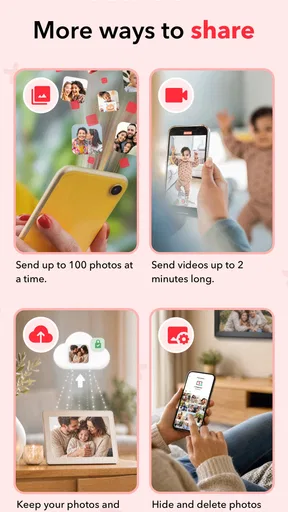
Frameo is a user-friendly app that allows you to share photos directly to digital photo frames. Once you connect the app to a Frameo digital frame, you can send photos and short videos to friends and family. This makes it easy to keep loved ones updated with your latest memories in real-time.
Is Frameo compatible with all digital photo frames?
Frameo is specifically designed to work with its own brand of digital photo frames. Before purchasing a frame, ensure it is a Frameo-compatible model. This compatibility guarantees seamless integration and optimal functionality when sharing photos from the app to your frame.
Do I need an internet connection to use Frameo?
Yes, an internet connection is required to use Frameo effectively. Both your smartphone and the digital frame need to be connected to the internet to send and receive photos. This connection ensures that images are transferred quickly and efficiently, maintaining the quality of your photos.
Can I control who sends photos to my Frameo digital frame?
Absolutely. Frameo offers privacy settings that allow you to control who can send photos to your frame. You can manage your friend list within the app and only allow trusted contacts to send images. This feature ensures that you have control over the content displayed on your frame.
Are there any costs associated with using Frameo?
The Frameo app itself is free to download, but the primary cost is purchasing a Frameo-compatible digital photo frame. There are no subscription fees or additional charges for using the app to send and receive photos, making it a cost-effective solution for sharing memories.


